What Makes a Good Contractor Website in 2026
What Makes a Good Contractor Website in 2026
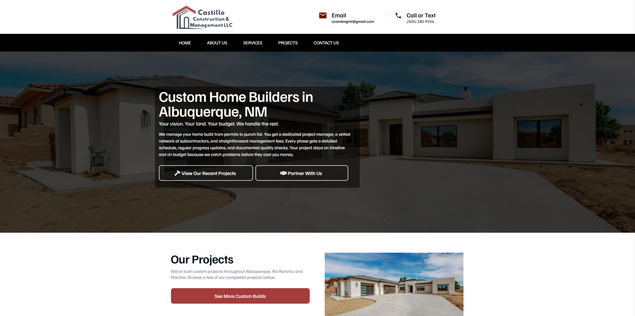
Castillo Construction & Management
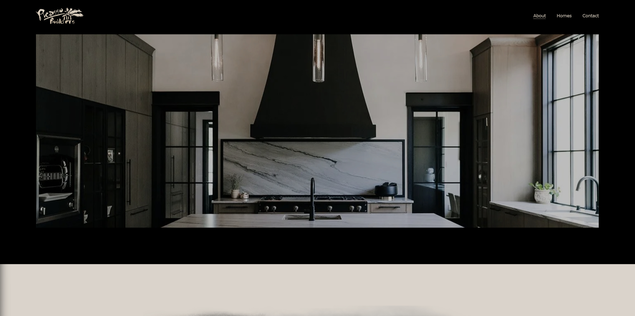
Picasso Builders
Before I got into web design, I spent ten years as a finish carpenter. The thing about finish work is it only looks right if the framing underneath is solid. The most beautiful crown molding in the world won't save walls that aren't plumb. Websites work the same way. Structure first. Visuals after.
Most contractor websites have the structure wrong from the start. Owners pay good money for something that looks nice but doesn't actually do anything. No system to capture leads. No clear path to booking. Slow load times that bleed visitors before they ever see the homepage. The site exists, but it isn't working.
So what actually makes a website work for a contractor in 2026?
Page speed is the foundation
If your site takes more than about three seconds to load, most visitors leave. That sounds harsh until you remember how you use the internet yourself. A site drags, you bounce, you try the next one. We all do it without thinking.
The speed issue runs deeper than impatience. When a site loads slowly, it sends a signal about the business behind it. Maybe they don't pay attention to details. Maybe they're behind the times. Maybe they don't care. None of that is necessarily true, but that's what a slow site says about you whether you want it to or not.
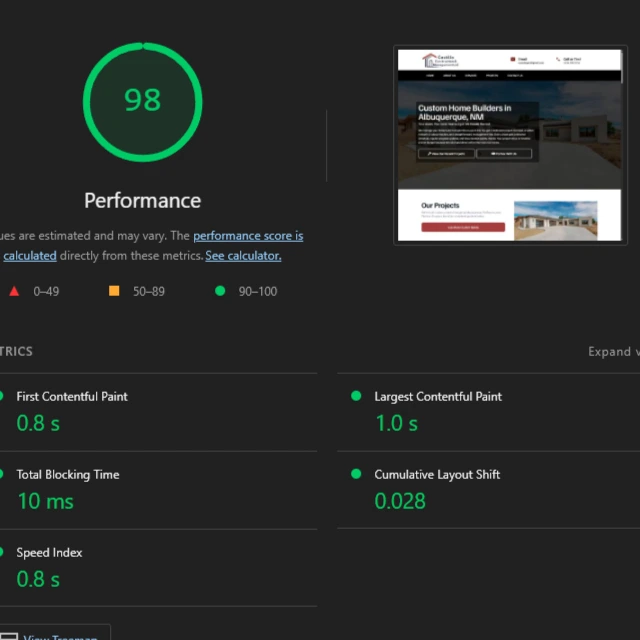
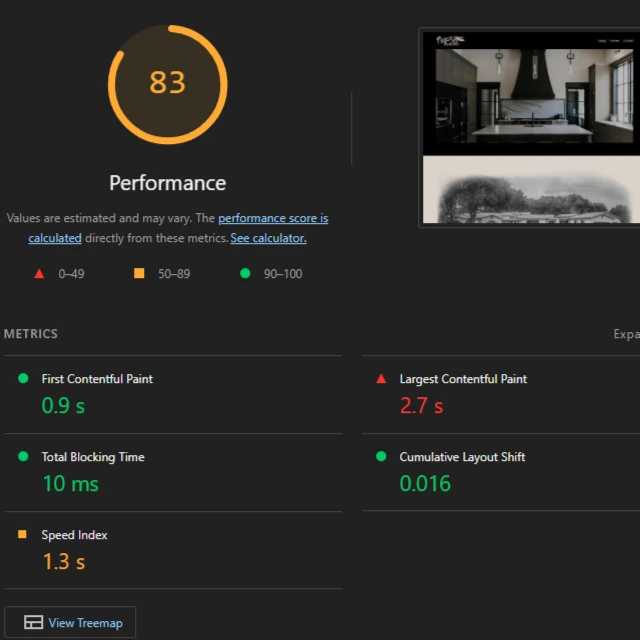
The main culprit is almost always images and videos that haven't been compressed. Contractors want to show off their work, which makes sense, but uploading photos straight from your phone at full resolution will crush your load times. A single image from a modern phone camera can be 4-5MB. That same image compressed down to 200KB looks identical to the eye, but your site loads dramatically faster.
If your platform supports WebP format, use it instead of JPEG or PNG. For images that aren't visible until the user scrolls down, lazy loading lets the browser wait to fetch them until they're actually needed. Google's PageSpeed Insights tool will run a free audit on your site and tell you exactly what's slowing things down.
Simpler designs are winning again
AI design tools have flooded the internet with websites that all look the same kind of busy. The purple gradients, the floating background animations, the parallax scrolling effects. It looks "designed" but it doesn't actually help anyone do anything. And all that visual complexity takes resources to load, which brings us right back to the speed problem.
Craigslist looks like it was built in 1999 because it basically was. No animations, no modern styling, nothing that would impress anyone visually. Millions of people use it every day because you can land on that site and accomplish what you came to do almost instantly. There's no friction between you and the task.
That's what design should do for a contractor website. Someone searches "plumber near me" because they have a problem they need solved. They click your Google listing because you might be able to solve it. The design needs to get out of their way and let them figure out if you're the right fit, then make it easy to contact you. Anything that slows that process down is working against you.
The first screen carries most of the weight
About 60% of visitors never scroll past the first screen they see. That visible area before any scrolling is called "above the fold," and once you account for how many people are browsing on their phones (around 60% or higher for local businesses), that space is small.
What this means practically is that the homepage above the fold has to do almost all of the heavy lifting for your entire site. I've looked at analytics on contractor websites where secondary pages (the About page, individual service pages, the blog) get maybe a handful of visits per month. The homepage, and specifically the top portion of it, is where the real action happens.
So what needs to be in that space?
A headline that clearly says what you do and who you do it for. Not your company name by itself. Not something vague like "Quality Service Since 1985." Something
like "24/7 Emergency Plumbing for Albuquerque Homeowners" tells a visitor immediately that they're in the right place.
The phone number or booking button needs to be right there, visible and easy to tap on mobile. A trust signal of some kind: your Google rating, years in business, or a photo of you with your truck that shows you're a real local company. And one strong image that reinforces the service visually.
Everything else lives below the fold or on other pages. Company history, full list of services, team bios, et cetera. All of that is secondary content that visitors can dig into if they want, but most won't.
Mobile can't be an afterthought
More than half your traffic is coming from phones. For local service businesses the percentage is usually higher. Think about when people search for contractors. Not at a desk during work hours. Standing in front of a problem they need fixed. The water heater just died. The AC stopped working in July. They finally have a free moment to deal with that thing they've been putting off.
If your site is frustrating to use on a phone, you lose those people before they ever become leads.
Buttons and links need to be big enough to tap accurately with a thumb. Phone numbers need to be click-to-call so people aren't copying and pasting. Forms need to be short. Name, phone number, brief description of the problem is plenty. Every field beyond that is friction that costs you conversions.
Pull up your own website on your phone using cellular data and try to book a job as if you were a customer. Anything that feels awkward or slow is costing you real business.
Where to place calls to action
A call to action is just telling people what you want them to do and making it easy to do it. Call now, book online, request a quote. It's whatever the next step is.
Most contractor sites either don't have a clear CTA, or they bury it at the bottom after paragraphs of text that nobody reads. The phone number is hidden on a separate Contact page. The booking button is below the fold where 60% of visitors will never see it.
The primary CTA belongs above the fold, visible immediately. After a visitor scrolls through some social proof like reviews or project photos, they're warmed up. That's a good place for another CTA. At the end of any significant chunk of content, give them a path forward. Not randomly scattered all over the page, but at points where it makes sense in how someone naturally moves through the site.
Match the design to the business
Not every business needs the same kind of website.
A plumbing company doesn't need to be beautiful. It needs to load fast, communicate clearly, and make it easy to call. The customer has a leak. They are not evaluating aesthetics. They are evaluating whether you can show up and fix it.
A tattoo parlor or a photography studio is a different story. The work is visual and creative, and the site should reflect that. If it looks generic, potential customers will assume the work is generic too.
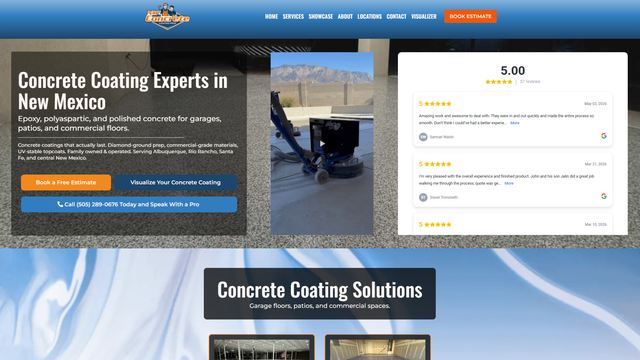
For a concrete coating company, the before-and-after transformation is the whole selling point, so finished project photos should be prominent.
The design choices should follow from what your specific customers actually care about when they're deciding whether to hire you.
Common mistakes I see
Stock photos. Everyone can tell. One real photo of your actual work or your actual team is worth more than any number of generic handshake images from a stock library.
Contact info that requires hunting. Phone number should be in the header on every page, tappable on mobile.
Long paragraphs of text on the homepage. Company history and background can live on an About page. The homepage needs to communicate fast.
"Welcome to our website" as a headline. That space is too valuable to waste on a greeting that says nothing about what you do.
Reviews hidden on a separate page. Social proof should be visible on the homepage where visitors can see it without navigating away.
The short version
A contractor website that actually works in 2026 loads fast enough that visitors don't notice any delay, communicates who you are and what you do in the first screen, makes it obvious how to contact you or book, and works properly on phones. If your site does those things, it's doing its job. Everything else (fancy animations, complex layouts, twelve-page site architectures) is secondary at best and counterproductive at worst.
Get the structure right first. The finish work comes after.
Want help applying this to your business?
If you run a local service business in Albuquerque or anywhere else and your site isn't doing the job, this is exactly what we build. Trade Hive specializes in web design for contractors. Fast, focused sites that book jobs while you're working.
Book a meeting and let's see if it makes sense to work together.
Read about SEO next
A fast, well-structured site is step one. Step two is making sure people can actually find it on Google. If you want to know how local SEO for contractors works (or what "near me" searches actually reward), check out the SEO article next.
